
● Works with or without internet

Run your whole college on one system — on your own network.

Workfolio is the ERP built for TVET colleges: admissions, academics, CDACC-style modules and marks, RPL evidence, fees with M-Pesa, payroll, procurement, library, hostel and more. One server in the office; every computer and phone on campus stays in sync.

Windows server & desktop app · Android app · 30-day free trial, no key needed

No internet neededRuns on the school network. Power cuts to the router don't stop registration.

Always in syncOne database. Every PC, laptop and phone sees the same records instantly.

Your data stays yoursHeld on your own server — not a stranger's cloud. Backups to Drive/Dropbox if you want them.

Up in an afternoonOne installer on the server. PHP and the database are bundled — nothing else to set up.

Built for technical training

From the workshop bench to the registrar's desk

Competence is shown at the bench, not at a keyboard. Workfolio goes where the practical work happens — on a phone in the workshop, on the office computers, and at home through the online portal.

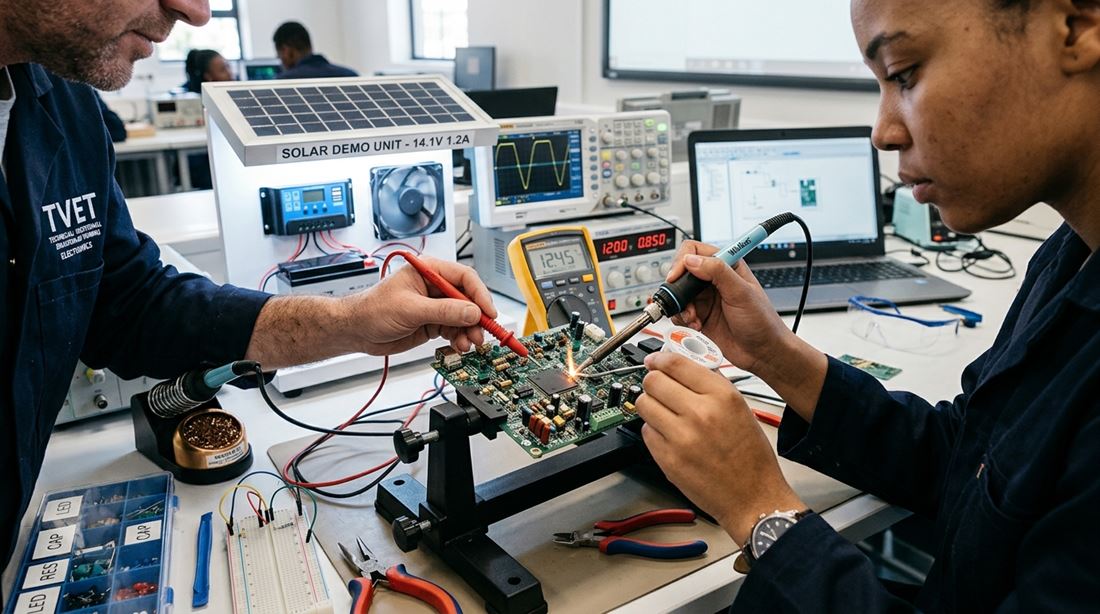
A trainer and a trainee testing a circuit board at a workshop bench

RPL & trainee ePortfolio

Evidence is photographed where the work is done and lands in the trainee's portfolio at once.

  • Trainees upload evidence straight from the phone camera
  • Trainer and assessor verification, with the unit's performance criteria
  • Attachment logbooks and assessor visits
  • A portfolio and CV link the trainee can share with employers
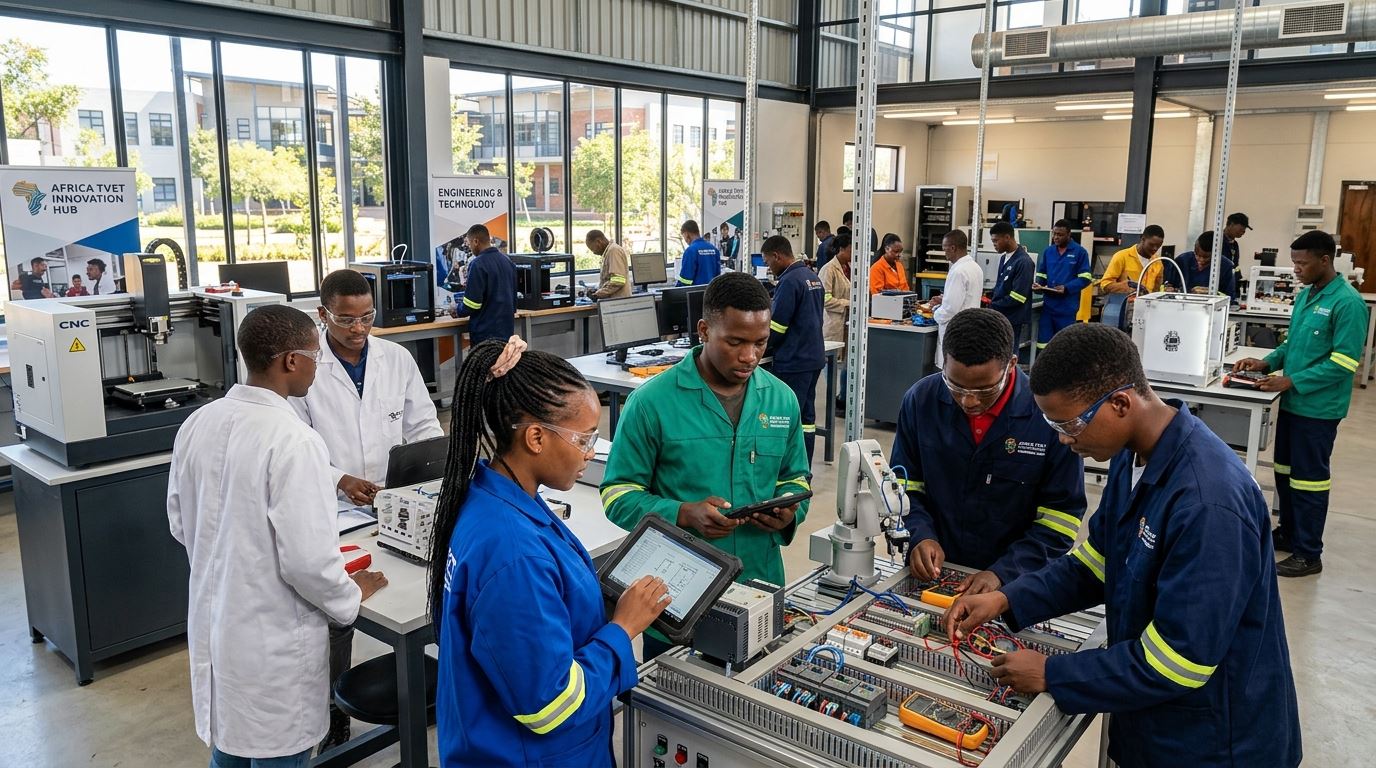
Trainees and trainers at work in a technical training workshop

One system for the whole campus

Every office works from the same records, so nothing is typed twice.

  • Admissions, classes, units, marks and transcripts
  • Fees, M-Pesa, vote heads, payroll and procurement
  • Library, hostel, transport and student affairs
  • More than one campus? Each has its own server, kept in step

Photographs are illustrations, not pictures of a particular institution.

Modules

Everything a college office runs on

Each role sees only its own screens — a trainer gets their units and marks, the bursar gets finance, a trainee gets their fees, results and timetable.

Admissions & students

From application to graduation.

  • Online applications & KUCCPS placement import
  • Intakes, classes & student groups
  • Digital student ID cards with photos
  • Transfers, clearance & graduation

Academics & exams

Built around TVET CDACC curricula.

  • Programmes, courses, Modules I–VII & units
  • Assessments, marks entry & Excel upload
  • Bookable final exams & results slips
  • Moderation, external examiners, OBE coverage

RPL & ePortfolio

Evidence photographed where the work happens.

  • Trainees upload evidence from their phone
  • Trainer verification queue
  • Shareable ePortfolio / CV link
  • Industrial attachment logbooks & visits

Fees & finance

Every shilling accounted for.

  • Fee structures, invoices & receipts
  • M-Pesa STK push & bank statement import
  • Vote heads, budgets, cash books, imprest
  • Financial statements & SMS fee reminders

Staff, payroll & HR

People and pay in one place.

  • Staff records, job groups & workloads
  • Payroll with PAYE, NSSF & SHA deductions
  • Leave requests & approvals
  • Part-time contracts & claims

Timetabling

Clash-free timetables in minutes.

  • Automatic timetable generator
  • Trainer availability & locked lessons
  • Personal timetables for staff & trainees
  • Attendance registers

Procurement & assets

From requisition to stores.

  • Procurement plans, quotations & POs
  • Goods received, suppliers & stores
  • Asset register, issue & depreciation
  • Supplier prequalification

Campus services

The rest of college life.

  • Library loans & fines
  • Hostel rooms & allocations
  • Transport routes, fleet, fuel & maintenance
  • Clinic, student affairs cases & visitor log

Quality & governance

Ready for the auditor and the board.

  • QA audits, findings & checklists
  • Risk register & policy documents
  • Board meetings & resolutions
  • Full activity log of who changed what

How it works

One server. Every device in sync.

All your data lives in one place — the server computer — so there is nothing to copy between machines and nothing to merge.

Install Workfolio Server

On one office PC that stays on during school hours. Web server, database and the app are all inside the installer — no internet, no extra software. It starts itself with Windows.

Install the desktop app

On every other computer, run the Workfolio client and type the server's address (it's shown on the server screen). Workfolio opens in its own window, like any other program.

Add phones

Install the Android app — it finds the server on the school Wi-Fi by itself. Trainees check fees and results; trainers enter marks; evidence goes in straight from the camera.

One Workfolio Server on the school network, shared by desktops and phones Workfolio Server database · web server · app Admin office PC Bursar's laptop Trainer's phone Trainee's phone school Wi-Fi / LAN — no internet required

Away from campus

Enter marks from home. The school server gets them.

The server at school holds the records and works without internet. Add an online portal — a copy of it on the internet that the school server keeps in step every few minutes — and staff and trainees use Workfolio from anywhere with the same usernames and passwords.

Get a portal address

Register your institution below and ask us to host your portal: we set it up and send the principal the portal address and its key. Prefer your own web hosting? A licensed institution can request the web hosting package and run the portal on its own PHP host.

Connect the school server

On the server at school, an administrator opens Backups → Online portal → Connect to your online portal, pastes the address and key and presses Connect and sync now. The portal shows the institution within minutes.

Work from anywhere

A trainer at home opens the portal address, signs in as usual and enters marks; a trainee checks fees and results; applicants apply online. Every change is journaled and repeated on the school server at its next sync — the school's copy remains the one that counts, and it keeps working when the internet is down.

You decide who may make changes online

Each category of user — trainees, trainers, heads of department, registry, finance, support offices — is either allowed to save on the portal or kept view-only there. The portal also holds your off-site backups, and a wiped server rebuilds itself from it on the setup page.

Built for every desk

A screen for each role

Accounts are role-based, and an admin can narrow any account to just the modules that person needs.

Principal / AdminRegistrarHead of DepartmentTrainerFinance / BursarHRLibrarianTransport officerHostel wardenDean of studentsQA officerTrainee

Get started

Register your institution

Tell us who you are and you get your institution code straight away. You type it into the setup page of your Workfolio Server: it becomes your school's login code and identifies your backups online. Then download the server below.

Either way the engine is the Workfolio Server installed at your institution: it holds your records and keeps working without internet. The online portal is a copy of it, and the same hosting keeps your daily backups.

Download

Get Workfolio

All three are the same version, built from the same code — whatever you do on one shows up on the others.

Workfolio Server

For the one computer that holds the school's data. Includes the database, web server and the full app. Upgrades an existing install in place — your data is kept.

Windows 10/11 (64-bit) · 26.9 MB · 16 Oct 2026
Download server installer

Desktop app

For every other Windows computer on campus. Asks for the server's address once, then opens Workfolio in its own window.

Windows 10/11 (64-bit) · 2.5 MB · 16 Oct 2026
Download desktop app

Android app

For staff and trainees. Finds the school's server on the Wi-Fi, keeps you signed in, and uses the camera for photos and evidence.

Android 7.0 or newer · 5.3 MB · 10 Oct 2026
Get it on the app page
Hosting your own online portal?

The web hosting package (Workfolio for your own PHP + MySQL host) is not a public download: it is released to licensed institutions on request, through a personal link, under the Terms and Conditions — it may not be copied, shared or installed for any other institution.

Installing on a phone

Open the app page on the phone, tap Install, then tap the downloaded file. If Android asks, allow “Install unknown apps” for the browser — the app comes from Workfolio, not the Play Store.

Open the app page Download the APK
Registered institutions

Institutions that use Workfolio and the code each one was issued (its trainees and staff sign in as the code + their number). Looking for your own code? It is here — and under Sign in you are taken straight to your institution.

Questions

Good to know

Do we need internet?

No. Workfolio runs entirely on your school network. Internet is only used for the extras that need it by nature — M-Pesa payments, SMS, email, off-site backups and the optional online portal.

Can a trainer enter marks from home?

Yes, through the online portal — a copy of your school server on the internet that the server keeps in step every few minutes. The trainer signs in at the portal address with the usual username and password and enters marks; the school server repeats the change at its next sync. Set it up once: get a portal address and key (we host it, or you do), then on the school server press Connect under Backups → Online portal.

What kind of computer does the server need?

An ordinary Windows 10 or 11 (64-bit) desktop is fine — it doesn't have to be a dedicated server. It should stay switched on during school hours, since the other computers and phones reach Workfolio through it.

What happens to our data when we upgrade?

Run the new server installer over the old one. It replaces the program files and keeps your database, uploaded photos and evidence exactly as they were. The desktop app and phone app need no update — they always show the server's current version.

Can we try it first?

Yes. Every install starts with a 30-day free trial with nothing to activate, and the setup screen can load sample data so you can click through admissions, marks and fees straight away.

Is our data safe?

It never leaves your server unless you set up off-site backups. Every account has its own role and permissions, and the activity log records who changed what.